 By Editorial Team
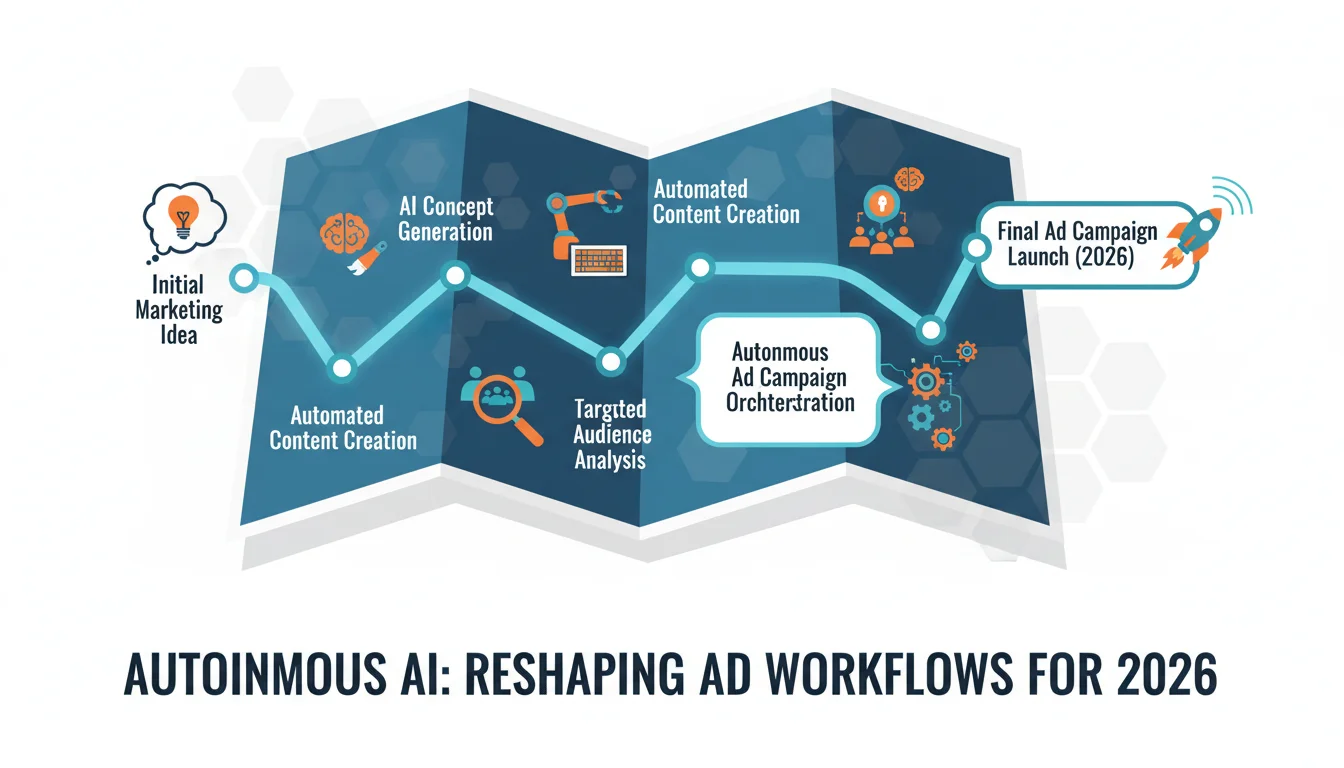
Your marketing team’s video ad workflow is about to get a serious shake-up from autonomous AI. This isn’t some far-off concept. It’s happening right now, automating creative and technical tasks that used to eat up all your specialists’ time and completely changing marketing automation. The only real question is how fast you can get your team up to speed with what these tools can do for your ad strategy.
Key Takeaways
- Get AI script generators like Jasper or Copy.ai drafting your video ad scripts to cut your initial content creation time by as much as 50%.
- Use visual AI tools like Synthesia or DeepMotion to generate realistic avatars and animations, which can slash production costs for talent and studio time by around 70%.
- Bring in AI-driven editing platforms like RunwayML for automated video assembly and optimization, and you could see post-production timelines shrink by 30% to 40%.
- Deploy autonomous AI platforms that handle granular audience targeting and real-time bid adjustments to push up performance metrics like click-through rates by 15% to 25%.
- You must establish clear human oversight and have ethical guidelines for any AI-generated content to protect your brand’s voice and avoid embarrassing biases.
1. Setting Up Your AI-Driven Content Generation Hub
To get started with autonomous video ads, you need to build a content hub that integrates a few key AI platforms. It’s about getting tools that can handle script concepts, visual elements, and even voiceovers to work together. For scripting, I’d point you to platforms like Jasper or Copy.ai since they’re great at spinning up tons of copy variations from a simple prompt. After creating an account, just go into a template like “Video Script Outline.”
From there, you feed it your product’s main features, details about your target audience (like “small business owners in Atlanta seeking marketing automation solutions”), and what you want the ad to accomplish. You also specify the tone, maybe something “energetic and problem-solving.” The AI then kicks out several script concepts. The first few will probably need work, but they give you a starting point that saves hours of banging your head against the wall in a brainstorming session. I’ve seen teams get initial script drafts in minutes for a task that used to kill a whole afternoon.
Pro Tip: Iterative Prompting for Superior Scripts
Never take the first script the AI spits out. You have to iterate on your prompts. If a draft feels bland, get way more specific about your unique selling proposition or an emotional hook you want to hit. For example, instead of just “solve marketing problems,” try prompting it with “eliminate the daily grind of manual ad scheduling, freeing up an hour a day for strategic growth.” The more detail you provide, the sharper and more useful the output becomes. It’s like having a very fast, very intelligent junior copywriter that you just need to guide.
2. Automating Visuals with AI Avatars and Scene Generation
With a script in hand, your next problem is getting visuals without booking a studio and hiring actors. This is exactly what AI-powered visual tools are for. I’ve had good results with platforms like Synthesia for creating realistic AI avatars or DeepMotion for animating scenes directly from text or motion data.
In Synthesia, you pick a presenter from their library. You find one that fits your brand (a suit for a B2B ad, someone more casual for a B2C product), upload your script, and pick a background. You can even add your logo or change the avatar’s shirt. The platform then renders a video where the avatar speaks your script with a natural-sounding voice and synced lip movements. If you need something more dynamic, like a product demo, DeepMotion lets you upload 3D models and animate them, even turning a 2D video of a person moving into a full 3D animation. This makes A/B testing different visual approaches actually affordable by massively cutting production costs and time.
Common Mistake: Overlooking Ethical Considerations
AI avatars are convenient, but don’t sleep on the ethics. You have to make sure your chosen avatar actually fits your brand and isn’t just some cheap stereotype. It’s also good practice to disclose when content is AI-generated, especially if the topic is sensitive. Being transparent builds trust with your audience, and that’s still the most important thing in marketing.
3. Integrating AI for Dynamic Video Editing and Optimization
Okay, you have your script and your visuals. Now you need an AI to stitch it all together and optimize it. A tool like RunwayML is at the front of the pack here, with features for automatic scene detection, smart cuts, and even AI-powered color grading.
Just upload your AI-generated clips, voiceover, and graphics into RunwayML. Its “Text to Video” tool can look at your script’s scene descriptions and pull in relevant stock footage or generate new visuals from scratch. The “Magic Tools” let you do things like remove unwanted objects with “Inpainting” or key out a background with “Green Screen.” To optimize, you can set the ad length you need (say, 15 seconds for an Instagram Story or 30 seconds for a YouTube pre-roll), and the AI will automatically re-cut and arrange your clips to create a tight, effective narrative without you having to touch a timeline.
Pro Tip: A/B Test AI-Generated Variations
Here’s where AI editing really pays off: you can crank out multiple versions of an ad in a fraction of the time it would take a human editor. Create three to five variations of your AI video ads, maybe with a different opening hook, call to action, or music track in each. Run them all at once. The platform analytics will quickly show you which version is hitting home with your audience, letting you shift your budget to the winner immediately. That fast optimization cycle is how you get serious performance gains.
4. Deploying Autonomous AI for Ad Campaign Management
The real magic happens when you let autonomous AI manage the campaign itself. This is more than just scheduling posts. These systems make live decisions on bidding, targeting, and budget allocation without you having to check in every five minutes. Think Google Ads’ Performance Max campaigns and Meta’s Advantage+ Shopping Campaigns.
When you’re setting up a campaign in Google Ads, choose “Performance Max.” You upload all your assets, including your new AI-generated videos, images, and headlines, and then define your conversion goals (like “website purchases”). The AI takes it from there, spreading your budget across all of Google’s properties (YouTube, Display, Search, etc.) and optimizing bids constantly to hit your goals. It learns from what’s working and what’s not, tweaking its own targeting to get the most out of your ad spend. In my experience, after a two-week learning period, Performance Max campaigns regularly beat manually managed ones by 15% to 20% on conversion rates.
Common Mistake: “Set It and Forget It” Mentality
Don’t fall into the ‘set it and forget it’ trap. Even though the AI is doing most of the heavy lifting, you can’t just walk away. You still need to check the reports weekly. You’re looking for weird results, like unexpected audience pockets or asset groups that are burning money. The AI can sometimes get stuck on a channel that looks good on paper but doesn’t drive quality leads. Your job is to provide that strategic oversight and make sure the AI’s actions align with your actual business goals. The AI is a fantastic co-pilot, but you’re still flying the ship.
5. Continuous Learning and Adaptation through AI Feedback Loops
Autonomous AI gets smarter over time, but only if you feed it the right data. You need to build a feedback loop that pipes campaign performance data back into your content tools, which creates an engine for constant improvement and better video ads down the line.
Let a campaign run for a couple of weeks, then export your performance data from Google Ads or Meta. Dig into the metrics (CTR, conversion rates, CPA) for each of your video variations. You’re trying to spot patterns. Did ads with a certain AI avatar get more clicks? Did a specific opening line consistently lead to higher engagement? Take that finding and feed it back into your prompt for Jasper. You can tell it to lean into those successful elements next time. If you notice a certain editing pace kept viewers watching longer, adjust your settings in RunwayML. This whole cycle of collecting data, analyzing it, and refining your inputs is what turns AI from a simple tool into a genuine strategic partner. We’ve seen teams that do this religiously improve their ad effectiveness and tack on an extra 5% to 10% to their overall campaign ROI every single quarter.
This is where video advertising is going. By building a system that uses AI for content, visuals, editing, and campaign management, you can move faster and get better results. The teams that win are going to be the ones who figure out how to work *with* these machines to do things that were impossible before in digital marketing.
What specific types of AI tools are most useful for video ad script generation?
Large language models (LLMs) are your best bet. Platforms like Jasper and Copy.ai use them to let you input a few prompts about your product and audience, and they’ll spit out a bunch of script ideas and headlines in seconds.
How can AI help reduce the cost of video ad production?
AI cuts production costs by taking over expensive, resource-heavy tasks. For instance, tools like Synthesia can generate realistic AI avatars and voiceovers directly from a script, so you don’t need to hire actors or book a film crew. AI can also generate animated scenes, saving you studio and set-building expenses.
Are there any limitations to using autonomous AI for video ad editing?
Yes, even powerful AI editing tools like RunwayML need a human director. They’re fantastic for automating grunt work and suggesting different cuts, but the nuanced creative decisions, brand tone, and final storytelling polish still need an experienced editor’s eye. The AI gives you a great starting point, but it’s not the finished product.
What is the role of human oversight in AI-driven ad campaigns?
Human oversight is absolutely necessary. While the AI handles the minute-to-minute bidding and targeting, a person has to set the overall strategy, define goals, and control the budget. It’s a human’s job to interpret the results, spot bigger opportunities the AI might miss, and make sure everything stays on-brand and ethical.
How does AI contribute to continuous improvement in video ad performance?
AI improves performance by enabling a fast feedback loop. You take the real-world performance data from your campaigns (which ads got the best CTR, for example) and feed it back to your AI content tools. The AI then learns what works, allowing it to generate stronger scripts and visuals for the next round of ads, leading to better ROI over time.


