 By Editorial Team
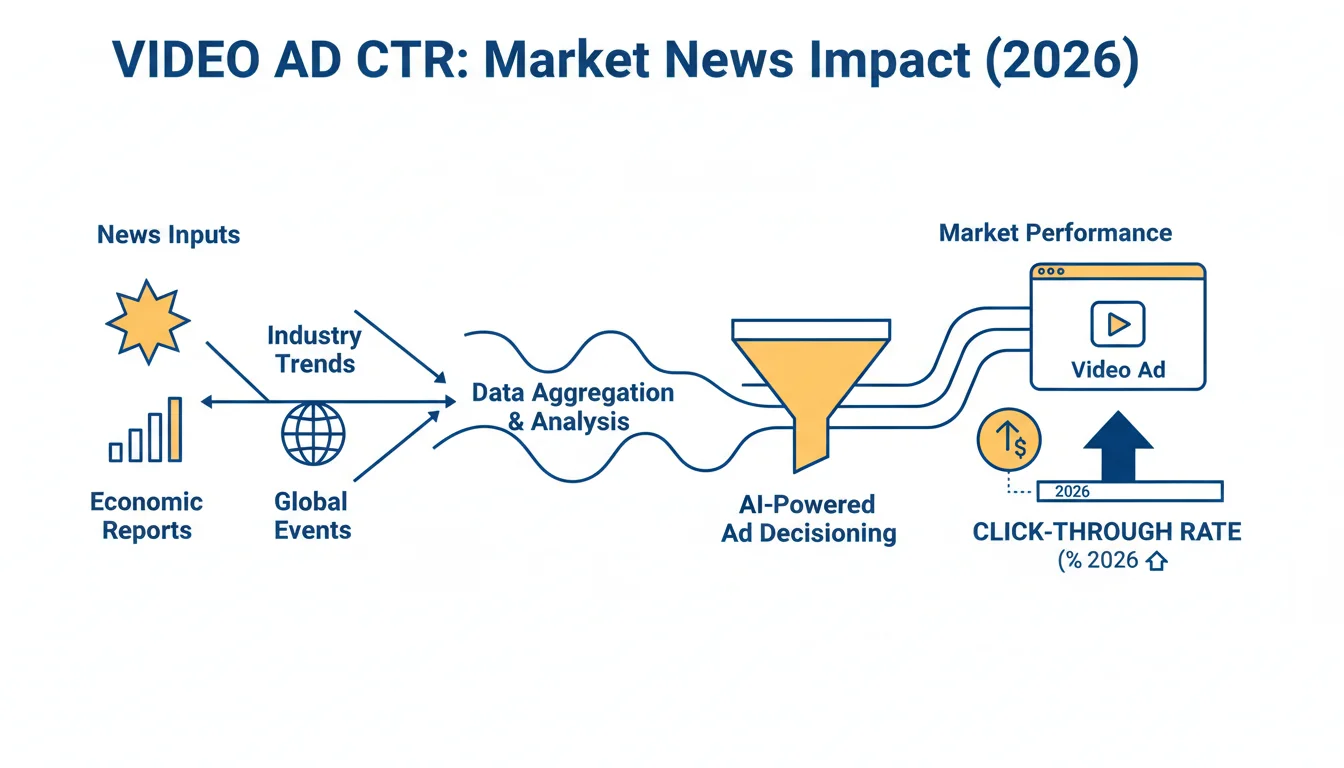
Figuring out exactly how much external events mess with your ad performance is a constant headache for marketers. Market news, from a Fed rate hike to a competitor’s PR disaster, can completely change consumer mood and kill a campaign’s effectiveness overnight. This is a step-by-step guide on how to actually measure the impact of market news on video ad CTR and put a number on those correlations that always feel so hard to pin down.
Key Takeaways
- First, figure out what “market news” actually means for you, economic reports, industry announcements, etc., so you know what data to even collect.
- Pull granular data on news volume and sentiment with tools like Google Trends and news APIs to get the full picture of what people are talking about.
- Run a regression analysis in R or Python to actually quantify the connection between a news event and your video ad click-through rates.
- Isolate variables by segmenting your audiences and ad creatives, which lets you measure the news impact on specific parts of a campaign with more precision.
- Set up automated dashboards to watch news events and CTR changes in real time so you can make campaign adjustments fast, not a week later.
1. Define Your Market News Categories and Data Sources
The first thing you have to do is define “market news” for your own business and audience. It’s not the same for everyone. If you’re a financial services brand, you obviously care about interest rate announcements and inflation reports. If you sell consumer electronics, you’re probably more worried about a competitor’s new phone launch or a big supply chain mess. I’ve found that narrowing this scope right at the start is the only way to keep from drowning in data later. You need to pick news categories that you genuinely believe could influence whether your target audience buys something or clicks your ad.
Once you know your categories, you find your sources. For big-picture economic news, you’ll be pulling from reputable financial news outlets and government stats agencies. For your specific industry, trade publications and press release wires are more useful. You need to gather this stuff systematically. I’d start by using tools like Google Trends to see when public interest spikes for a certain topic. For a deeper dive, you can explore news APIs from providers like NewsAPI or the GDELT Project, which give you programmatic access to massive archives of news articles and often provide handy sentiment analysis scores.
Pro Tip: Don’t just track if news happened. Track the sentiment. A negative story about your competitor might actually be great for your ad performance, while negative news about the entire industry will likely drag you down too. Some news APIs give you sentiment scores out of the box, which is a massive time-saver.
2. Collect and Prepare Your Video Ad Performance Data
At the same time you’re gathering news data, you need to pull your video ad performance data. This is primarily your click-through rate (CTR), but don’t forget impressions, views, and conversion metrics. You can export all of this from the big ad platforms like Google Ads and Meta Business Suite through their reporting interfaces. You want this data to be as granular as possible, ideally daily or even hourly, so you can line it up with news events that can happen in a flash. Make sure you’re zeroing in on the specific campaigns you think would be most affected by the news categories you picked earlier.
Data prep is usually the biggest time suck in this whole thing. Make sure your timestamps are consistent between your news data and your ad data. This means getting all your time zones and date formats standardized. You’ll almost certainly have to aggregate or disaggregate data to get everything into the same analysis interval, for example, if you have daily news sentiment data, you’ll need daily averages for your video ad CTR. I usually start in Google Sheets or Microsoft Excel for the initial cleanup, but for larger datasets, a database or a Python library like Pandas becomes non-negotiable.
Common Mistake: Mismatched time granularity. Trying to correlate hourly news spikes with weekly ad performance data will just get you garbage results. Your data points have to align perfectly in time.
| Aspect | Market News Data | Video Ad Performance Data |
|---|---|---|
| Primary Metric | News volume & sentiment | Click-Through Rate (CTR) |
| Key Sources | Google Trends, News APIs | Google Ads, Meta Business Suite |
| Granularity | Daily or hourly | Daily or hourly |
| Preparation Task | Standardize time zones & formats | Standardize time zones & formats |
| Synchronization Key | Time (common interval) | Time (common interval) |
3. Normalize and Synchronize Datasets
Okay, you’ve got your two piles of data. Now you have to normalize and synchronize them. Normalization just makes sure you’re comparing apples to apples, so differences in scale don’t throw off your analysis. For instance, you can’t directly compare “number of articles” from one source to a “sentiment score from -1 to 1” from another without first bringing them to a similar scale, maybe through min-max scaling or z-score normalization. I tend to prefer z-score normalization when the data might have some wild outliers, because it helps standardize the distribution.
Synchronization is about merging these datasets based on time. You’re building a master dataset where every row represents a single time interval (like a day), and it has columns for your news metrics (volume, sentiment) and your ad performance metrics (CTR). This is the part of the process where you have to make a judgment call on missing data. Should you fill in the gaps with an average, or just toss out periods with incomplete data? There’s no single right answer. For instance, if a news API was down for a few hours, I’d probably average the sentiment from the preceding and succeeding periods instead of throwing away an entire day of valuable ad data.
Pro Tip: When you’re dealing with a specific event, like a product launch or an earnings report, just create a binary variable (a column with a ‘1’ on the day of the event and ‘0’ on all other days). This makes measuring the impact of that discrete event way simpler.
4. Perform Statistical Analysis: Regression and Correlation
Here’s where the data prep work pays off and you start getting insights. Your main tool here is regression analysis, which you’ll use to put a number on the relationship between market news and your video ad CTR. You’re trying to see if changes in your news variables (the independent variables) are statistically linked to changes in your CTR (the dependent variable). I do this work in statistical software like R or in Python using libraries like scikit-learn and statsmodels. These tools are built for this kind of powerful multivariate analysis.
I always start with a simple correlation analysis to get a first look at the relationships. A Pearson correlation coefficient gives you the strength and direction of a linear relationship between two variables, but remember, correlation isn’t causation. For that, you need regression. A multiple linear regression model lets you test the impact of several news variables at once while controlling for other things that might be affecting your CTR, like the day of the week, seasonality, or even a big sale you’re running. The model might look something like this: CTR = β₀ + β₁ NewsVolume + β₂ NewsSentiment + β₃ * CompetitorLaunch + ε. Those beta coefficients (β) are the gold: they tell you the size and direction of each news variable’s impact. A positive beta for NewsSentiment, for example, suggests that more positive news is associated with a higher CTR.
Common Mistake: Overlooking confounding variables. Your CTR might have tanked because a competitor launched an aggressive campaign, not because of some negative market news. You have to include all relevant control variables in your regression model if you want to isolate the true effect of the news.
5. Interpret Results and Identify Actionable Insights
Once the analysis runs, the real job begins: interpreting the results and turning them into something you can actually do with your video ad strategy. Look at the p-values for your regression coefficients. A p-value below 0.05 is the standard for statistical significance, meaning the relationship you’re seeing is probably real and not just a random fluke. Then look at the magnitude of the beta coefficients, they tell you how much punch each variable has. A beta of 0.02 for “positive sentiment score” means that for every one-point increase in that score, your CTR is expected to go up by 0.02 percentage points, with all other factors held constant.
But don’t just stare at the numbers. Think about what they mean. Did certain kinds of news have a bigger impact? Was the effect immediate, or was there a lag? I once saw with a luxury goods client that major economic reports had an almost instant effect on CTR, whereas general consumer confidence indices had a slower, more delayed impact. This is the kind of insight that lets you be proactive. If you know that positive news about consumer spending reliably leads to a 10% CTR bump within 24 hours, you can get ready to increase spend and bid more aggressively to ride that wave. Conversely, if bad news always craters your CTR, you might pause some campaigns or shift budget to more resilient ad creatives. This iterative cycle of analysis and adjustment is what separates good performance marketers from great ones.
Pro Tip: Visualize your results. Plotting CTR against your key news metrics over time on a simple chart will often reveal patterns that a wall of numbers in a spreadsheet will completely hide. Use a tool like Tableau or Google Looker Studio to build interactive dashboards that let you explore these relationships.
6. Implement Monitoring and Automation
Measuring news impact isn’t a one-and-done project. It’s something you have to keep doing, because the market is always moving and your response should be too. The final step is to build a system for continuous monitoring and, if you can, automation. That means creating dashboards that track your chosen news metrics right alongside your video ad CTR in near real time. You could, for instance, set up an alert in your analytics platform to ping you whenever a specific news sentiment score drops below a certain point, giving you a heads-up that a downturn in ad performance might be coming.
You can also look into marketing automation platforms that can connect with news APIs or custom scripts you build. Now, fully automating campaign changes based on something as nuanced as news sentiment is complex and requires very careful testing, you don’t want a robot pausing your biggest campaign by mistake. But you can automate simpler actions. For instance, when a major industry announcement breaks, you could automatically trigger a campaign promoting a relevant product or adjust bids on specific keywords. The objective is to reduce the manual work of reacting to market shifts, which frees up your team to focus on bigger strategic decisions. It’s a continuous feedback loop, refining your model and your understanding with every news cycle, and it ensures your video ad campaigns stay responsive even in a chaotic market.
The ability to quantify how market news hits your video ad CTR gives you a serious competitive advantage, moving your ad strategy from gut feelings to data-driven decisions. By systematically defining news categories, collecting and prepping data, running a proper statistical analysis, and implementing continuous monitoring, you can proactively adjust campaigns and get much better efficiency and return on investment.
What types of market news have the biggest impact on video ad CTR?
It really depends on your industry and who you’re selling to. Broad economic indicators like inflation rates, GDP reports, and consumer confidence indices tend to affect almost everyone to some degree. But industry-specific news, think a major product recall, new regulations, or a big competitor announcement, often has a much sharper and more immediate effect on the video ad campaigns people actually care about.
How often should I analyze market news against my video ad performance?
For most businesses, a weekly or bi-weekly check-in is enough to spot trends and make smart adjustments. But if you’re in a highly volatile market or during a period with a ton of breaking news (like an election or financial crisis), you should probably be looking at it daily to react quickly to what’s happening.
Can I use sentiment analysis tools to predict CTR changes?
Predict? No, not in a crystal ball sense. But they give you a very valuable read on the public’s mood about certain topics which often acts as a strong leading indicator for CTR changes. A sudden nosedive in public sentiment is a pretty good warning that ad engagement might be about to drop, and vice versa. Integrating sentiment scores into any predictive models you build will almost certainly improve their accuracy.
What if my video ad CTR doesn’t seem to be affected by market news?
If your analysis shows no significant connection, there are a few possibilities. First, the news categories you chose might just not be relevant to your audience. Second, your data’s granularity might be too broad (e.g., weekly data won’t catch daily news). Third, and most likely, other factors like creative fatigue, seasonality, or bid changes are creating so much noise that they’re drowning out the news signal. Re-evaluate your variables and how you’re collecting data.
Are there specific tools recommended for automating the tracking of news and CTR?
Yes. For the news data, APIs from NewsAPI or GDELT are great for automating collection. For your ad performance, the reporting APIs from Google Ads and Meta Business Suite are what you’ll use. The key is to integrate these data streams into a centralized dashboard tool like Google Looker Studio, Tableau, or even a custom Python script to create an automated monitoring system. Some marketing automation platforms also offer direct connectors for these sources.


