 By Jennifer Poole
Key Takeaways
- Implement a 30-second video ad strategy for retargeting, focusing on a single, clear call to action to maximize conversions from warm audiences.
- Segment your retargeting audiences based on their engagement level and past interactions, such as “cart abandoners” or “video viewers (75% watched),” to deliver highly relevant video content.
- Use platforms like Google Ads and Meta Business Suite for granular audience targeting and detailed performance analytics.
- Regularly A/B test different video creatives and calls to action to identify the most effective combinations for your specific warm audiences.
- Allocate at least 20% of your retargeting budget to video campaigns, as they consistently demonstrate higher engagement rates compared to static ad formats.
Video retargeting is an exceptionally powerful tool for re-engaging warm audiences effectively, transforming previous interest into tangible conversions. The ability to reconnect with individuals who have already shown intent, but haven’t yet completed a desired action, represents a significant opportunity for any marketing strategy. How can marketers design video campaigns that resonate deeply with these pre-qualified prospects?
| Aspect | Generic Video Ads | Tailored Video Ads |
|---|---|---|
| Relevance to Audience | Low. Lacks personalization | High. Addresses prior interaction |
| Effectiveness for Cart Abandoners | Waste of ad spend | High. Product reminder, incentive (e.g., “SAVE10NOW”) |
| Content Focus | General brand awareness | Specific product features, testimonials, offers |
| Conversion Potential | Lower due to lack of personalization | Higher. Overcomes barriers, strong CTA |
| Budget Efficiency | Inefficient use of ad spend | More efficient, targets high-intent segments |
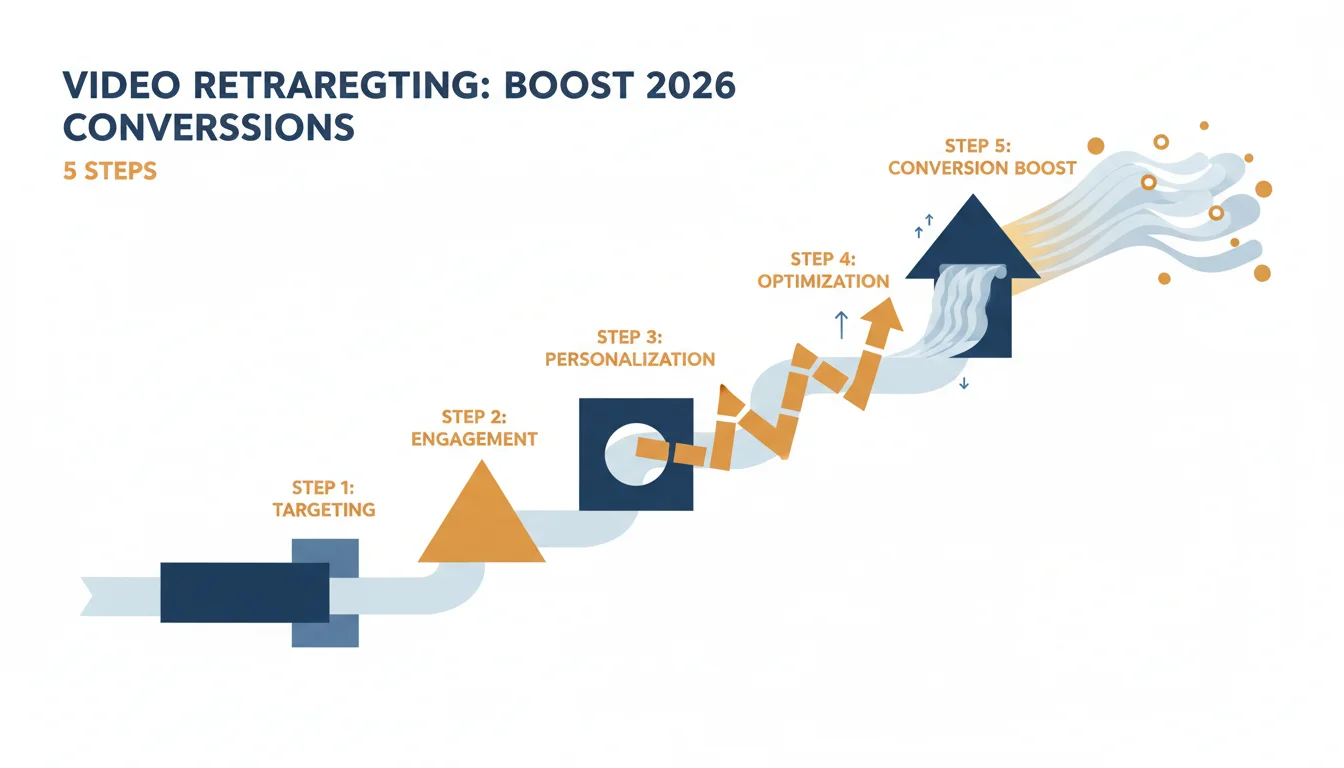
1. Define Your Warm Audiences and Their Intent
Before creating any video, you must clearly define who you’re speaking to and what action they previously took. Not all “warm” audiences are the same. A visitor who watched 75% of your product demo video has a different level of intent than someone who merely visited your homepage. I advocate for careful segmentation here. Consider these common warm audience segments:
- Website Visitors: Anyone who has visited your site in the last 30-90 days. Further segment by specific pages visited (e.g., product pages, pricing pages).
- Cart Abandoners: Users who added items to their shopping cart but did not complete the purchase. This is often the highest-intent segment.
- Lead Form Initiators: Individuals who started filling out a form but didn’t submit it.
- Video Viewers: People who watched a significant portion (e.g., 50%, 75%, 95%) of a previous video ad or organic content.
- Email Engagers: Subscribers who opened or clicked links in your recent emails.
For instance, on Google Ads, navigate to “Audience Manager” and create new audience segments. For website visitors, select “Website visitors” and define rules based on URL visits. For video viewers, link your YouTube channel to Google Ads and create audiences based on specific video interactions (e.g., “Viewed any video from a channel (as YouTube product or service)”). Similarly, Meta Business Suite allows for detailed custom audience creation based on website traffic, customer lists, and video engagement.
Pro Tip: Implement Granular Tracking
Ensure your pixel implementations (Meta Pixel, Google Tag) are configured to track specific events beyond just page views. Track “Add to Cart,” “Initiate Checkout,” “Lead Submitted,” and specific video watch percentages. This data powers truly effective segmentation. Without this, your retargeting efforts will be broad and less impactful.
2. Craft Compelling Video Content Tailored to Each Segment
Once your audiences are defined, the video content itself must directly address their prior interaction and overcome any perceived barrier to conversion. This is where most campaigns fail. They show generic brand videos to high-intent audiences.
For Cart Abandoners:
Your video should remind them of the specific product they left behind, highlight its unique benefits, and offer a clear incentive. A 15-second video featuring the exact product with a subtle overlay of “Still thinking about it?” and a limited-time discount code (e.g., “SAVE10NOW”) can be incredibly effective. Consider showing a quick testimonial or a benefit-driven shot of the product in use. The goal here is to alleviate hesitation and push them over the line.
For Product Page Visitors:
These individuals showed interest but perhaps needed more information. Your video could be a short (20-30 seconds) deep dive into a key feature, a customer testimonial, or a comparison highlighting why your product is superior. If they viewed a specific product, feature that product prominently.
For Video Viewers (e.g., 75% watched a demo):
These are highly engaged. Your video could be a direct call to action to a free trial, a consultation, or a special offer related to the content they just consumed. A quick “Ready to take the next step?” followed by a concise value proposition and a strong call to action works well.
Common Mistake: Generic Video Ads
Sending the same general brand awareness video to someone who almost bought a product is a waste of ad spend. The message lacks personalization and fails to acknowledge their specific stage in the buying journey. Tailor your creatives. Always.
3. Select the Right Platforms and Ad Formats
The choice of platform significantly impacts reach and available ad formats. The dominant players for video retargeting remain Google Ads (YouTube and Display Network) and Meta Business Suite (Facebook, Instagram, Audience Network).
Google Ads (YouTube & Display Network):
Google’s official documentation outlines various video ad formats. For retargeting, Skippable in-stream ads (5 seconds before skip option) and Non-skippable in-stream ads (up to 15 seconds) are powerful for reaching users watching other content on YouTube. Outstream ads are excellent for extending reach across partner sites and apps on the Google Display Network, appearing within articles or feeds. When setting up a campaign in Google Ads:
- Navigate to “Campaigns” > “New Campaign” > “Video.”
- Choose an objective like “Leads,” “Sales,” or “Website traffic.”
- Select your campaign subtype, such as “Custom video campaign.”
- Under “Audiences,” go to “How they have interacted with your business (Remarketing & Custom Audiences)” and select the specific remarketing lists you created (e.g., “Cart Abandoners – 30 days”).
- Upload your tailored video creative.
- Set your bid strategy and budget. I often recommend “Target CPA” for conversion-focused campaigns once you have sufficient conversion data, otherwise “Maximize conversions” or “Target ROAS.”
Meta Business Suite (Facebook & Instagram):
Meta offers immense targeting capabilities. Use In-Stream Video Ads, Feed Video Ads, and Stories Ads for retargeting.
- In Meta Business Suite, go to “Ads Manager” > “Create.”
- Select an objective like “Conversions,” “Traffic,” or “Lead Generation.”
- At the ad set level, under “Audience,” select “Custom Audiences” and choose your pre-defined audiences (e.g., “Website Visitors – Product X Page,” “Video Viewers – 75% watched”).
- Under “Placements,” I recommend “Automatic Placements” initially to let Meta’s algorithm optimize, then review performance and restrict if necessary.
- Upload your video creative, ensuring it meets platform specifications (e.g., 9:16 for Stories, 1:1 or 4:5 for Feed).
- Add a clear call-to-action button (e.g., “Shop Now,” “Learn More,” “Get Quote”).
Pro Tip: Consider Ad Sequencing
Some platforms, particularly YouTube, allow for ad sequencing. This means you can show a user a series of videos in a specific order. For a warm audience, this could be: Video 1 (problem/solution reminder) -> Video 2 (testimonial/social proof) -> Video 3 (direct offer/urgency). This builds a narrative, guiding the user towards conversion.
4. Implement A/B Testing and Iteration
Effective retargeting is not a “set it and forget it” operation. Continuous testing and optimization are paramount.
What to A/B Test:
- Video Creatives: Test different video lengths (15s vs. 30s), opening hooks, narrative styles, and calls to action. A Statista report from 2023 indicated that shorter video ads generally have higher completion rates, but this can vary by audience and message.
- Call to Actions (CTAs): “Shop Now,” “Learn More,” “Get Your Quote,” “Download Free Guide.” Sometimes a softer CTA can be more effective for a slightly less warm audience.
- Landing Pages: Ensure the landing page for your retargeting ad is highly relevant to the video content and the user’s prior interaction. Don’t send a cart abandoner to a generic homepage.
- Bid Strategies: Experiment with different bidding approaches (e.g., Target CPA vs. Maximize Conversions) to see which delivers the best results for your specific campaign goals.
- Audience Exclusions: Exclude recent purchasers or individuals who have already converted to avoid wasting ad spend and annoying customers.
How to A/B Test:
Both Google Ads and Meta Business Suite offer built-in A/B testing features. In Google Ads, you can create “Experiments” to run drafts and experiments. In Meta Ads Manager, select “A/B Test” when creating a new campaign or ad set. Ensure you test only one variable at a time to accurately attribute performance changes. Run tests long enough to gather statistically significant data, typically several weeks, depending on your budget and audience size.
Common Mistake: Testing Too Many Variables
Trying to test video creative, CTA, and landing page simultaneously will make it impossible to know which change drove the performance difference. Isolate variables for clear insights.
5. Monitor Performance Metrics and Optimize
Regularly review your campaign performance. Key metrics for video retargeting include:
- Click-Through Rate (CTR): How many people clicked your ad after seeing it? A high CTR indicates strong creative and targeting.
- Conversion Rate: What percentage of clicks resulted in a desired action (purchase, lead, download)? This is the ultimate measure of success for conversion-focused campaigns.
- Cost Per Acquisition (CPA) / Cost Per Lead (CPL): How much does it cost to acquire a customer or lead through this campaign? Compare this to your target CPA/CPL.
- Video Completion Rate: What percentage of your video was watched? This indicates how engaging your content is.
- Return on Ad Spend (ROAS): For e-commerce, this tells you the revenue generated for every dollar spent on ads.
If a campaign isn’t performing, revisit your audience segmentation, video creative, and landing page experience. Perhaps your cart abandoner video isn’t compelling enough, or the discount isn’t attractive. Maybe the audience segment is too small or too broad. Adjust budgets, refine targeting, or pause underperforming ads. I’ve found that sometimes a simple headline change on a landing page can significantly boost conversion rates, even if the video ad itself is strong. Don’t be afraid to make bold changes based on data.
Pro Tip: Analyze Audience Overlap
Use platform tools to analyze audience overlap. If your “Website Visitors” and “Video Viewers” audiences significantly overlap, consider creating specific ad creatives that speak to both, or refine your segmentation to avoid ad fatigue. Video retargeting, when executed with precision and a clear understanding of audience intent, consistently delivers strong returns. By segmenting warm audiences, crafting tailored video content, selecting appropriate platforms, and committing to continuous testing, businesses can effectively re-engage prospects and drive conversions. The power lies in the personalization and the dynamic nature of video to cut through the noise. For more insights on maximizing your ad spend, explore our guide on Video Ad ROI: AI CX Tools Cut Spend 15% in 2026.
What is the ideal length for a video retargeting ad?
While it varies by platform and audience, videos between 15 and 30 seconds typically perform best for retargeting. This length allows for a concise message and a clear call to action without losing the viewer’s attention. For high-intent audiences like cart abandoners, even shorter, 10-15 second ads can be very effective.
How frequently should I show retargeting ads to my audience?
Ad frequency depends on your budget, audience size, and campaign goals. A common recommendation is 3-5 times per week per user to maintain top-of-mind awareness without causing ad fatigue. Platforms like Google Ads and Meta Business Suite allow you to set frequency caps to control how often individuals see your ads.
Should I use different video creatives for Facebook and Instagram retargeting?
Yes, while Meta Business Suite allows for unified campaigns, optimizing creatives for each platform is beneficial. Instagram often favors shorter, visually driven videos, especially in Stories and Reels formats (9:16 aspect ratio), whereas Facebook feed videos can sometimes accommodate slightly longer content. Tailoring aspect ratios and visual styles improves engagement.
What is the most effective call to action for video retargeting?
The most effective call to action (CTA) is specific and relevant to the audience’s previous interaction. For cart abandoners, “Complete Your Order” or “Shop Now & Save” works well. For product page visitors, “Learn More” or “View Product Details” might be more appropriate. Always include a clear, concise CTA both verbally in the video and as a clickable button.
How can I prevent ad fatigue in my video retargeting campaigns?
To prevent ad fatigue, rotate your video creatives regularly (every 2-4 weeks), implement frequency caps on your campaigns, and segment your audiences carefully. Showing different videos to the same audience keeps the message fresh. Also, exclude recent converters from your retargeting campaigns to avoid showing ads to those who have already completed the desired action.


