 By Editorial Team
E-commerce baked right into video content has totally changed how brands think about digital sales. By 2026, it’s gotten hard to tell where watching content ends and shopping begins, with platforms like YouTube really pushing this. With YouTube Shopping, people can go from watching a product review to buying that product without ever leaving the video. This opens up some wild new opportunities for creators and businesses, but you’ve got to ask: what does it actually take to turn a viewer into a customer while they’re still watching?
Key Takeaways
- Set up your product feeds through Google Merchant Center so you can tag products in your YouTube videos and give people a direct path to buy.
- Use the “Shopping” tab and the product shelves that pop up under your videos to show off as many as 30 items at a time.
- Live shopping events with real-time Q&As are gold, they get way more engagement and convert better than your standard pre-recorded videos.
- Make sure your YouTube channel is eligible for the full suite of shopping features, which means you need to be in the YouTube Partner Program and have at least 1,000 subscribers.
- Put clear calls to action in your videos, telling people exactly where to click on the screen to see the products and buy them right then and there.
The Evolution of Shoppable Video on YouTube
YouTube’s push into e-commerce wasn’t an overnight thing. It’s been a slow but steady move away from just dropping affiliate links in the description box. For years, creators had to rely on sending viewers off-site, a clunky process that led to a ton of friction and people just giving up before buying. YouTube saw that gap and started building out the interactive shopping features we have today, which now include direct product tagging in videos, dedicated product shelves, and even live shopping events that have completely changed the game for creators selling to their audience.
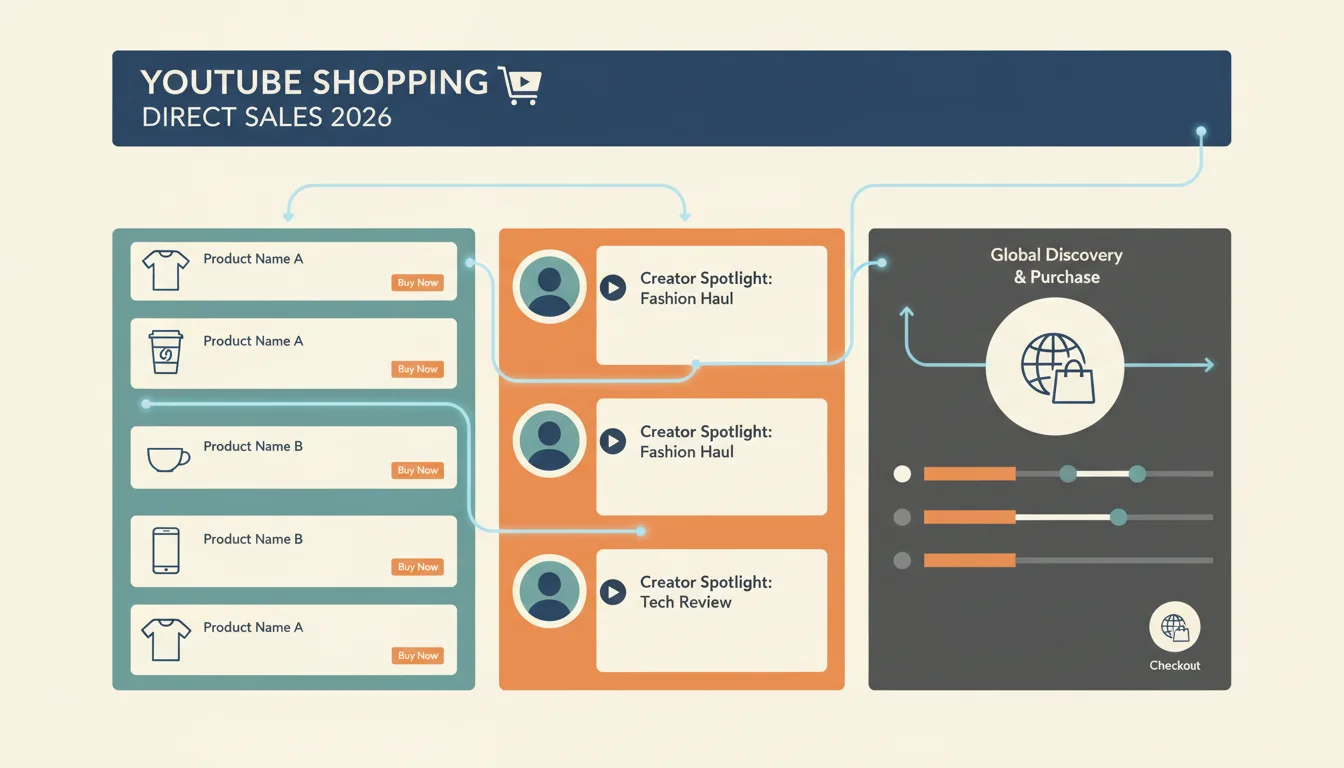
The whole point of this has been to shorten the distance between seeing something you like and being able to buy it. A beauty vlogger can now show off a new makeup palette and tag every single shade right in the video, so when you see a little shopping icon, you can click it to get an overlay with all the product info and a “Buy Now” button. This is all about capturing that immediate impulse you feel when you see a product in action and just have to have it. A 2025 eMarketer report even projected that by 2027, video commerce is expected to make up almost 15% of all e-commerce sales, which shows you where this is all headed.
A huge piece of this puzzle is the integration with Google Merchant Center. To get the full range of shopping tools, brands have to connect their Merchant Center accounts to their YouTube channels. This connection is what allows for real-time inventory and pricing information to show up on YouTube. If you don’t keep your product feed carefully updated, with correct SKUs, pricing, and stock levels, the whole system falls apart. If you ignore this backend work, even the best video in the world won’t sell a thing.
Implementing YouTube Shopping: A Technical Deep Dive
If you’re a brand or creator wanting to use direct sales on YouTube, you have to get the technical side right. It’s about more than just flipping a switch. You need to configure your entire product catalog to work with YouTube’s system. The main thing you need to do is link your Google Merchant Center account to your YouTube channel, since that’s what makes all the shoppable video stuff possible.
First, check if your channel even qualifies. As of 2026, your channel needs to be in the YouTube Partner Program, which means you need over 1,000 subscribers and no active Community Guidelines strikes. Once you’re in, you can head over to YouTube Studio, go to the “Monetization” section, and click on the “Shopping” tab. From there, you’ll be able to connect your Google Merchant Center account (or make a new one). You’ll have to verify your store’s website and make sure your product data meets Google’s specs.
After you’re connected, you can decide which products from your Merchant Center feed you want to feature on your channel, you can either pick specific collections or just show everything. When you upload or edit a video, you’ll see options to tag products. You do this right in the video editor, where you can pick a specific moment in the video and link it to a product from your feed. The product then shows up as a little clickable icon. From my own experience, I can tell you that tagging a product at the exact second you’re talking about it makes a huge difference in click-through rates. If you just tag it randomly while it’s in the background, people will ignore it.
Tagging inside the video is just one part of it. YouTube gives you a few other places to show off your products:
- Product Shelf: This shows up right under your video player with a handpicked selection of your products. You can customize this to show your best-sellers or items that are most relevant to that specific video.
- Store Tab: Your channel gets its own “Store” tab, which is basically a little storefront inside YouTube. People can browse your whole catalog here and start the checkout process. It’s like a stripped-down version of your main online store.
- End Screens: You can use your end screens to link to your product page on YouTube or even to specific product listings in your Store tab, giving viewers one last chance to click and buy.
For each of these, you have to think about which products to show, how they’re priced, and what they look like. You’re fighting for eyeballs in a very busy place. Good product photos and short, punchy descriptions are just as important here as they are on your own website.
Maximizing Conversions Through Live Shopping Events
While your regular shoppable videos can bring in steady sales, live shopping events on YouTube are a whole different beast for e-commerce. They mix the feel of a live TV show with the back-and-forth of an online chat, which creates a really effective setting for direct sales. Going live lets you talk directly with your audience, answer their questions on the spot, and create a sense of urgency that gets people to buy.
You can’t just hit the “go live” button and expect a successful event. You have to plan it out. That means scheduling the event way ahead of time, promoting it everywhere (socials, email lists), and having a clear plan for what you’re going to do. During the live stream, you can feature products on screen, drop links in the chat, and even run polls to see what people are into. The host is everything, they have to be personable, know the products inside and out, and be good at juggling questions from the audience. It’s basically a modern-day infomercial where people can talk back.
The biggest advantage of live shopping is being able to answer questions immediately. If someone asks how a shirt fits or what the battery life is on a gadget, the host can show them right then and there. That kind of transparency builds a lot of trust and gets rid of the usual hesitations people have before buying. Plus, you can run special deals or flash sales that are only available during the live stream, which gives people a big reason to buy now. I’ve seen brands pull in conversion rates over 10% during a good live shopping event, which is way higher than what you’d see on a typical e-commerce site.
Once the live event is over, the video stays on your channel as a VOD (Video on Demand), and all the shoppable links still work. This means the video keeps making you money long after you’ve wrapped up the broadcast. You can even chop up the best parts of the live stream into short-form videos for other platforms to drive people back to the full shoppable video. This long-term value makes the effort of a live event a really smart use of your time.
Content Strategy for Shoppable YouTube Videos
Turning on the shopping features won’t do much on its own. Your content has to be built to sell. A good content strategy for YouTube Shopping is all about showing your products in a way that connects with your audience and makes buying feel like the natural next step. This is about weaving products into good content, not just making ads.
Think about the kinds of videos that work best with shoppable links:
- Product Reviews and Unboxings: These are a perfect fit. When a creator is giving their honest opinion on a product, viewers are already thinking about buying. Linking directly to it just makes it easy for them to pull the trigger.
- Tutorials and How-Tos: If your product helps people do something, a tutorial is a great way to show it off. A cooking channel that uses a specific brand of stand mixer can tag it right in the video because people learning a new skill often want the exact same tools the expert is using.
- Hauls and Lookbooks: These are huge in fashion and beauty. You can tag every single item as you show it off, so viewers can click and buy whatever they like without having to go search for it.
- “Shop With Me” or “What I Buy” Content: These videos feel more personal, as creators share what they’re buying and why. It’s a relatable way for viewers to find and buy new things.
The quality of your video matters a lot, too. You need sharp, high-res footage, clear audio, and a good story. People expect a certain level of polish, and a cheap-looking video will make even the best product look bad. And you have to be authentic. Creators who actually use and like the products they’re showing build more trust, and that leads to more sales. People are smart. They can smell a fake endorsement a mile away.
You also need to include clear calls to action (CTAs) in your videos. Don’t just assume people will know to click on the product tags. You have to tell them. At the right moment, say “click the link on the screen” or “check out the products in the shelf below.” When it comes to sales, a direct instruction can make a huge difference. This isn’t being pushy. It’s just showing people the path you’ve already built for them. The whole idea is to make getting from “I like that” to “I bought that” as easy as possible.
Finally, look at your data. YouTube Analytics will tell you which products get the most clicks, which videos are driving sales, and where people are dropping off. Use that info to tweak your content, change up your product placements, and get better over time. This cycle of making content, checking the numbers, and then refining your approach is what makes some YouTube shopping channels so successful while others just seem to have the features turned on with no real results.
The Future of Direct Sales: Beyond the Video Player
What YouTube Shopping can do right now is pretty cool, but it looks like we’re headed for even tighter integrations and smarter features for direct sales. We’re already starting to see things like augmented reality (AR) try-on features for makeup and clothes, which would let you see what a product looks like on you before you buy it. Can you imagine watching a makeup tutorial, “trying on” the lipstick through your phone’s camera, and then buying it with one tap? That’s the kind of thing that’s going to completely change how people shop.
Another thing we’ll probably see more of is personalized shopping. By using viewer data and AI, YouTube could start showing you product recommendations inside videos based on what you’ve watched or bought before. This kind of hyper-personalization would make finding new products feel more natural and would almost certainly lead to more sales. The platform already does this with video suggestions, so applying that same logic to products is the obvious next move.
You should also expect to see more direct partnerships between creators and brands built right into the YouTube Shopping system. This could mean easier ways to handle commissions, shared analytics, and better tools for managing sponsored products. As the creator economy gets bigger, platforms will have to find simpler ways for brands and creators to work together and make money. This will mean improving the direct purchase flow so creators can get paid for the products they feature and brands can actually see the return on their investment. The end game is to make YouTube a full-on retail channel where finding something and buying it happen in the same place.
Online retail is always changing, and YouTube is leading the pack when it comes to putting shopping right inside the video. The brands and creators who get on board with a smart strategy, focus on making authentic content, and get the technical setup right are the ones who are going to win. The future of e-commerce is interactive and personal, and it’s being built into the content we watch every day. It’s time to build your content to sell.
What do I need to be eligible for YouTube Shopping features?
Your channel has to be in the YouTube Partner Program, which means you need at least 1,000 subscribers. You also can’t have any active Community Guidelines strikes, your channel can’t be set as “made for kids,” and you’ll have to link an approved Google Merchant Center account.
How do I get my products to show up on my YouTube channel?
You have to link your Google Merchant Center account to your YouTube channel. You do this in YouTube Studio under the “Shopping” tab. Once they’re connected, you can pick which products from your Merchant Center feed you want to feature in your videos, on your product shelf, and in your channel’s store tab.
Can I sell digital products, like courses, through YouTube Shopping?
Not really. YouTube Shopping is built for physical products. While you can always promote your digital stuff in a video, the direct buy-now feature that’s built into the video player is designed for physical goods that you manage through a Google Merchant Center feed.
What’s the best kind of video for selling products with YouTube Shopping?
Anything that naturally features a product works well. Think product reviews, unboxing videos, tutorials, and fashion or beauty hauls. Any video where you’re showing how a product works or how it solves a problem is going to have a better shot at driving direct sales.
Does YouTube take a cut of the sales from YouTube Shopping?
YouTube generally doesn’t charge a fee for using the shopping features or for sales that go through a third-party retailer you’ve linked via Merchant Center. You’ll still have to pay the normal transaction fees to your e-commerce platform (like Shopify or WooCommerce) and your payment processor, though.