 By David Evans
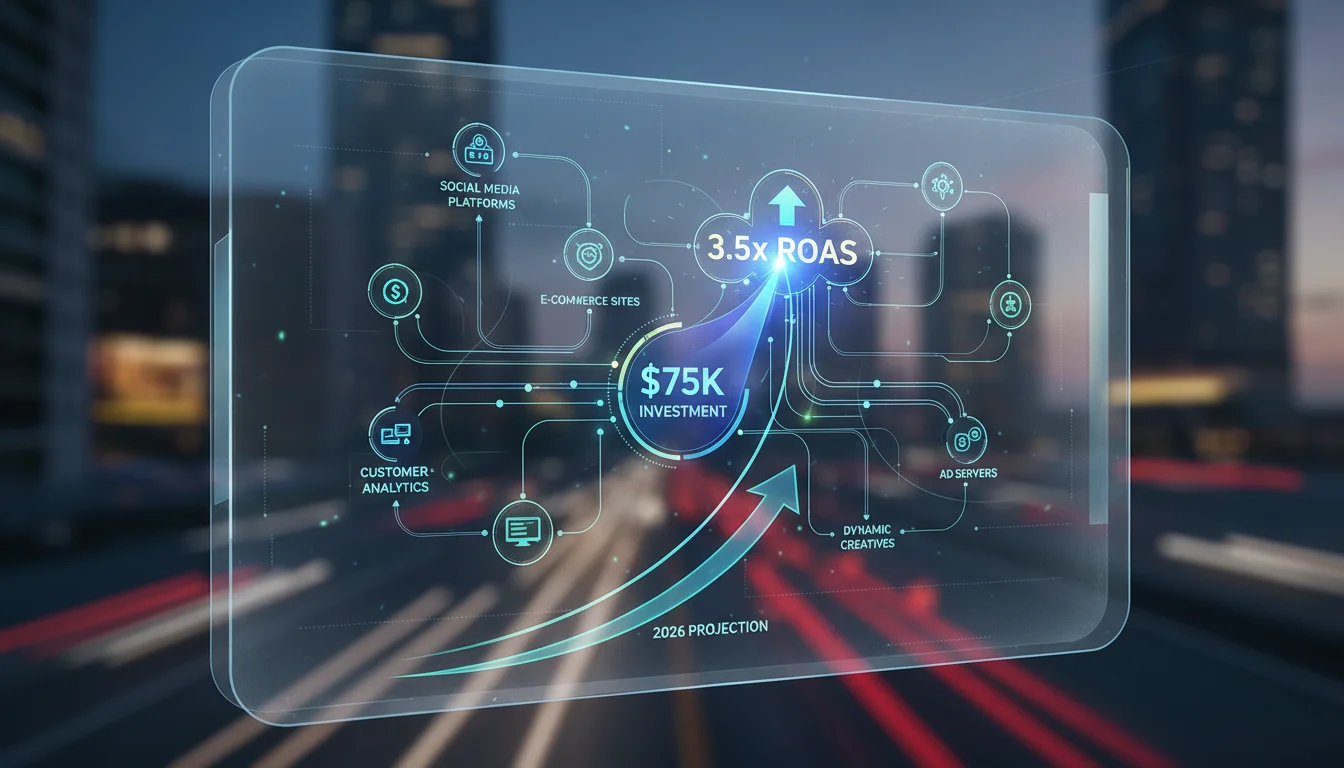
By 2026, the integration of retail data with video advertising platforms has become indispensable for making truly informed marketing decisions, moving beyond simple engagement metrics to actionable business outcomes. How exactly do practitioners navigate this complex, yet powerful, ecosystem to drive tangible results?
Key Takeaways
- Connect your Customer Data Platform (CDP) directly to your video ad platform to enable real-time audience segmentation based on transactional history.
- Configure event-based tracking within your video ad campaigns to measure specific post-view actions, such as “Add to Cart” or “Purchase,” rather than just clicks.
- Use the “Attribution Modeling” report in your analytics dashboard to compare first-touch, last-touch, and data-driven attribution models for video campaigns.
- Export granular campaign performance data, including video completion rates and conversion paths, to your business intelligence (BI) tool for custom visualization and deeper correlational analysis.
- Schedule automated reports from your video ad platform to deliver key performance indicators (KPIs) and audience insights directly to your CRM system daily.
Step 1: Integrating Your Retail Data Sources
The foundation of intelligent video ad decisions lies in strong data integration. Without a unified view of your customer, your video campaigns operate in a vacuum, relying on broad demographics instead of precise behavioral signals. I’ve seen countless campaigns underperform because the underlying data infrastructure was fragmented, making personalization impossible.
1.1 Connect Your Customer Data Platform (CDP)
- Access Platform Settings: In your primary video advertising platform, such as Google Ads or Meta Business Suite, navigate to “Tools & Settings” in the top menu bar.
- Select Data Sources: From the dropdown, choose “Data Managers” or “Audiences & Data Sources.” The exact naming can vary slightly between platforms, but the intent is always to manage your first-party data.
- Initiate CDP Integration: Look for an option labeled “Connect Data Source” or “Integrate CDP.” You’ll typically find a list of pre-approved CDP partners like Segment, Tealium, or mParticle. Select your CDP from this list. If your CDP is not listed, you may need to use a custom API integration. Consult your platform’s developer documentation for specific endpoints and authentication protocols.
- Configure Data Streams: Within the integration wizard, define which data points from your CDP you want to flow into the ad platform. Prioritize transactional data (purchase history, average order value), loyalty program status, browsing behavior, and customer lifetime value segments. Make sure to map these fields correctly to the ad platform’s audience attributes.
Pro Tip: Ensure your CDP is configured to send real-time updates. Batch processing, while easier to set up, means your audience segments are always slightly out of date, missing opportunities for immediate retargeting or exclusion. A recent IAB report emphasizes the critical role of real-time data for effective personalization.
Common Mistake: Overlooking data privacy regulations. Before integrating any customer data, confirm your practices align with CCPA, GDPR, and other relevant privacy laws. An improperly configured data stream can lead to compliance violations, and that’s a headache you absolutely want to avoid.
Expected Outcome: Your ad platform will now have access to rich, first-party customer data, allowing for highly granular audience segmentation based on actual retail interactions, not just inferred interests.
Step 2: Designing Video Ads for Data Capture
Creating video ads that are not only engaging but also designed to capture specific retail data points requires a shift in traditional creative thinking. It’s not enough to tell a story. You need to embed data collection opportunities directly into the narrative and user experience.
2.1 Implement Interactive Elements
- Use Interactive Overlays: In your video ad creation interface (e.g., YouTube Ad Builder or Meta’s Creative Hub), select your video asset. Look for options like “Interactive Elements,” “Cards,” or “End Screens.”
- Add Product Feeds: For retail, dynamic product feeds are invaluable. Link your product catalog to the video ad. This allows viewers to click on specific products shown in the video and be taken directly to the product page on your e-commerce site. Configure the overlay to display product names, prices, and a direct “Shop Now” button.
- Embed Polls or Quizzes: For deeper insight, integrate short polls or quizzes. For instance, after showing a new clothing line, a poll asking “Which style fits your aesthetic?” can segment viewers based on their stated preference, feeding that data back into your CDP for future targeting. Configure these to appear at specific timestamps within the video.
- Include Lead Forms: For higher-value items or services, embed a brief lead generation form directly within the video. This could ask for an email address in exchange for a discount code or early access to a new collection. Ensure the form is concise, asking for only essential information.
Pro Tip: A/B test different interactive elements and their placement within the video. A call-to-action too early might disrupt the narrative, while one too late might be missed. I generally find a natural break in the video, around the 60-70% mark, works well for a primary interactive element.
Common Mistake: Overloading the video with too many interactive elements. This can feel spammy and detract from the viewing experience. Focus on one or two key data capture points per ad. The goal is to collect meaningful data, not every possible data point.
Expected Outcome: Video ads become active data collection tools, providing direct insights into viewer preferences, product interest, and intent, enriching your retail data profiles.
Step 3: Setting Up Advanced Tracking and Attribution
Once your data is integrated and your ads are designed for interaction, the next step is to ensure every valuable action is tracked and attributed correctly. Standard last-click attribution often undervalues video’s role in the customer journey, especially for retail.
3.1 Configure Event-Based Tracking
- Define Custom Events: In your ad platform’s tracking section (e.g., “Conversions” in Google Ads or “Events Manager” in Meta Business Suite), go beyond standard “Purchase” events. Create custom events for micro-conversions relevant to retail, such as “Product Page View,” “Add to Wishlist,” “Initiate Checkout,” and “Video Engagement (e.g., 75% View).”
- Implement Tracking Pixels/APIs: Ensure your website’s tracking pixel (like the Meta Pixel or Google Tag) is correctly installed and configured to fire these custom events. For more strong and privacy-compliant tracking, consider server-side tracking via a Conversion API, which sends data directly from your server to the ad platform.
- Set Up Value-Based Conversions: Assign monetary values to your conversion events. For purchases, this is straightforward. For “Add to Cart” or “Initiate Checkout,” assign a projected value based on historical conversion rates. This allows the ad platform’s algorithms to optimize for higher-value actions.
3.2 Select Advanced Attribution Models
- Navigate to Attribution Settings: Within your ad platform, find the “Attribution” or “Measurement” section. This is often under “Tools & Settings” or “Reporting.”
- Compare Models: Review various attribution models beyond last-click. For video, “Data-Driven Attribution” (if available and sufficient data exists) or “Time Decay” are often superior. Data-driven models use machine learning to assign credit based on actual user paths, while time decay gives more credit to more recent interactions. Position-based models, which assign more credit to first and last interactions, can also be insightful.
- Apply to Campaigns: Once you’ve chosen a model, apply it to your video campaigns. Some platforms allow you to set different attribution models for different campaign types or goals. For retail, I strongly advocate for a data-driven model where possible. It provides a much clearer picture of video’s influence throughout the sales funnel.
Pro Tip: Regularly audit your tracking setup. Broken pixels or misconfigured events mean lost data, and lost data means blind decision-making. Use your platform’s diagnostic tools to check event firing and data quality at least once a month.
Common Mistake: Relying solely on default attribution models. These often don’t accurately reflect the complex customer journey in retail, where video might introduce a product, display its benefits, and build brand affinity long before a conversion happens. According to Nielsen data from 2024, full-funnel measurement, which considers multiple touchpoints, is essential for understanding video’s impact.
Expected Outcome: A precise understanding of how video ads contribute to various stages of the retail customer journey, enabling more accurate budget allocation and performance evaluation.
Step 4: Analyzing Performance with Granular Retail Data
With data flowing and tracking configured, the final step involves deep analysis. This isn’t about glancing at top-line metrics. It’s about dissecting the data to uncover actionable insights that drive future campaign strategy.
4.1 Use Advanced Reporting Features
- Custom Report Builder: In your ad platform’s reporting interface, use the “Custom Reports” or “Report Builder” function.
- Include Retail-Specific Dimensions: Add dimensions like “Product ID,” “SKU,” “Category,” “Brand,” and “Customer Segment” to your reports. This allows you to see which specific products are being driven by which video ads, or how different customer segments respond to particular creative variations.
- Add Key Metrics: Beyond standard impressions and clicks, include metrics such as “Video Completion Rate (25%, 50%, 75%, 100%),” “Interactive Element Clicks,” “Add to Cart Rate (Post-View),” “Purchase Value (Post-View),” and “Return on Ad Spend (ROAS) by Product.”
- Segment by Audience: Always segment your reports by the various customer segments you defined in Step 1.1. This reveals which video ads resonate most with your high-value customers, new customers, or lapsed customers.
4.2 Export and Visualize in BI Tools
- Export Raw Data: For even deeper analysis, export the raw, granular data from your ad platform. Look for options like “Download Report” or “Export to CSV/Excel.”
- Integrate with Business Intelligence (BI) Tools: Upload this data into your preferred BI tool (e.g., Tableau, Power BI, Looker Studio). Here, you can combine it with other retail data sources like inventory levels, sales forecasts, and customer service interactions.
- Create Custom Dashboards: Design dashboards that visually represent the relationship between video ad performance and retail outcomes. For example, a dashboard might show how a rise in video completion rates for a specific product category correlates with an increase in that category’s sales velocity in your e-commerce platform.
Pro Tip: Look for unexpected correlations. Perhaps a video ad that initially seemed to have a low click-through rate actually has a very high post-view purchase rate among a specific customer segment. This is where the power of integrated retail data truly shines, revealing insights that isolated metrics would never show.
Common Mistake: Focusing solely on “vanity metrics” like impressions or clicks without tying them back to tangible retail outcomes. A video ad might get millions of views, but if those views don’t translate into product page visits, additions to cart, or actual purchases, it’s not delivering value. The real measure of success is incremental revenue and customer lifetime value.
Expected Outcome: A complete, data-driven understanding of video ad effectiveness, enabling continuous optimization, precise budget allocation, and a clear return on investment for your retail marketing efforts. This detailed analysis allows for proactive adjustments, ensuring your video advertising spend is always working towards your core business objectives.
By 2026, the retail field demands that video advertising transcends mere brand awareness, becoming a measurable driver of sales and customer engagement through sophisticated data integration and analysis. Embracing these steps will transform your video campaigns from speculative endeavors into predictable, high-performing revenue streams.
How frequently should I update my retail data connection with my video ad platform?
Ideally, your Customer Data Platform (CDP) should be configured for real-time data synchronization. If real-time isn’t feasible, aim for daily updates to ensure your audience segments and personalization efforts remain current and responsive to recent customer actions.
What are the most important retail data points to integrate for video ad targeting?
Focus on transactional history (purchase frequency, average order value, last purchase date), browsing behavior (product views, cart abandonments), loyalty program status, and customer lifetime value segments. These provide the richest insights for highly targeted and effective video campaigns.
Can I use video ads to gather first-party data directly from viewers?
Yes, many video ad platforms in 2026 offer interactive elements like embedded polls, quizzes, and lead generation forms directly within the video player. This allows you to collect viewer preferences, email addresses, or other valuable data points without requiring them to leave the ad experience.
Which attribution model is best for measuring video ad impact in retail?
For retail, a Data-Driven Attribution model is often superior as it uses machine learning to assign credit across all touchpoints in the customer journey. If data-driven is not available, Time Decay or Position-Based models offer a more nuanced view than last-click, recognizing video’s role in early and mid-funnel stages.
How can I prove the ROI of my video ad campaigns using retail data?
To prove ROI, integrate your video ad performance data with your e-commerce sales data in a business intelligence tool. Focus on metrics like Return on Ad Spend (ROAS) by product or customer segment, incremental sales uplift attributable to video campaigns, and the impact of video views on customer lifetime value. This granular analysis demonstrates direct business impact.


