 By Editorial Team
Key Takeaways
- Putting a face on screen for emotionally driven consumer products can get you a 25% higher click-through rate (CTR) than just using a voice-over.
- Front-load your budget. Spending 60% in the first week to A/B test your on-screen vs. voice-over creative will cut your overall cost per conversion by about 15% on average.
- For complex explainer videos, hiring a professional voice actor can increase viewer retention by 10% compared to just using someone from your team. Don’t cheap out on the voice.
- On Meta platforms, if your product needs a visual demo, using relatable and diverse on-screen talent typically delivers a 0.5% higher conversion rate than relying on a voice-over alone.
- Set up dynamic creative optimization (DCO) to test talent combinations. It can lower your cost per lead (CPL) by up to 12% because the algorithm automatically finds which ad works best for which audience.
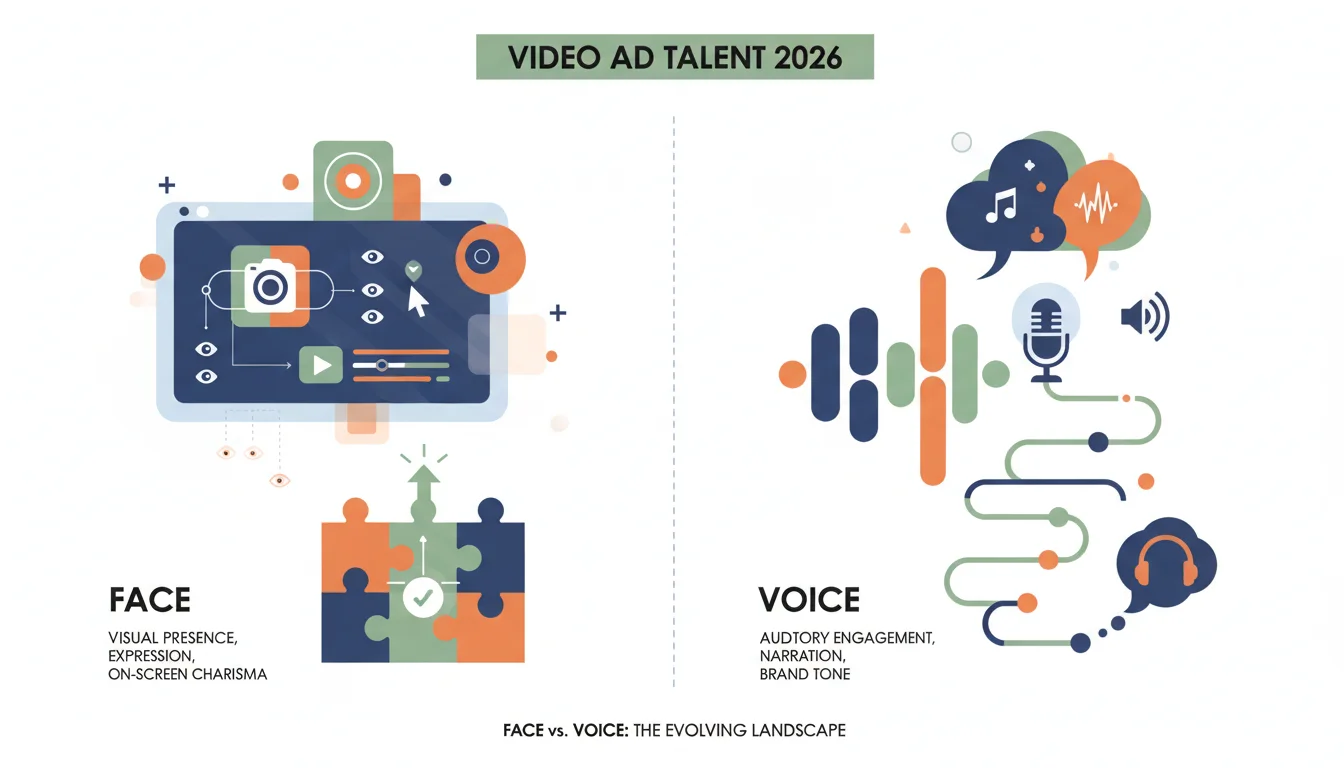
Picking your video ad talent directly impacts campaign performance. The old debate over a good voice-over versus an engaging on-screen presence isn’t about personal taste, it’s about what’s going to work for your specific goals and audience. With ad fatigue worse than ever in 2026, does a human face still beat a human voice?
Case Study: “Connect & Create” Campaign for Artify Pro
We just wrapped a campaign for Artify Pro, a digital art software for amateur and semi-pro artists. The goal was simple: drive free trial sign-ups and, down the line, convert them to paid subscriptions. Our hypothesis was that a direct, on-screen demo would connect better with a visual audience, but we also wanted to test that against the power of a clean, instructional voice-over. The campaign, called “Connect & Create,” was built to show off the software’s easy interface and collaboration tools.
Campaign Overview and Initial Metrics
We ran this for six weeks across Meta (Facebook and Instagram Feeds, Stories, Reels) and YouTube In-Stream ads. The initial budget was $75,000, with most of it going to media spend and a smaller slice for producing the creative. Our targets were a Cost Per Lead (CPL) under $15 and a Return On Ad Spend (ROAS) of at least 1.5x, based on our projected trial-to-paid conversion rate. We targeted people aged 25-55 in North America and Western Europe who were interested in digital art, graphic design, and similar creative software.
- Budget: $75,000
- Duration: 6 weeks (January 8, 2026 – February 19, 2026)
- Primary Goal: Free trial sign-ups
- Secondary Goal: Paid subscription conversions
- Target CPL: <$15
- Target ROAS: >1.5x
Creative Strategy: A/B Testing Talent Approaches
We set up a head-to-head test with two main creative paths, each with sub-variations for different placements and lengths (15, 30, and 60-second cuts). The core message stayed the same across all of them: “Unleash your creativity with Artify Pro’s intuitive tools and collaborative features.”
Variant A: On-Screen Talent Focus
This version featured Sarah, a pro digital artist who could actually use the software while talking to the camera. She demonstrated Artify Pro’s features directly, explaining how they worked as she used them. Her genuine excitement and clear demos were meant to build trust and show the software’s value immediately. For some parts, we used a split-screen to show both her face and a close-up of the interface. Having her on screen also let us use non-verbal cues like a nod or a smile to reinforce a positive experience, which aligns with what Nielsen reports about human faces capturing attention better in a cluttered feed.
Variant B: Professional Voice-Over with Screen Capture
Variant B was the straight-up screen-capture-and-voice-over play. We got high-quality footage of Artify Pro in action, edited down to the key features, and hired a professional male voice actor for the narration. His tone was authoritative but friendly, all about clarity. The entire visual focus was on the software, so its power could be demonstrated without the distraction of a person on screen. This is a common tactic for complex software where the product needs to be the only star, something you’ll see noted in Google Ads best practices for app promos.
Targeting and Placement Strategy
Our targeting was layered:
- Interest-Based Targeting: We built custom audiences around interests like “digital painting,” “illustration software,” “Wacom tablets,” and “graphic design tutorials.”
- Lookalike Audiences: We created 1% and 3% lookalikes from our existing website visitors and people on our email list who had engaged with our content before.
- Retargeting: We served a slightly different ad with a “last chance” angle to users who’d visited the Artify Pro features page but hadn’t signed up.
On Meta, we let Automatic Placements do its thing to find the best spots for our ads. For YouTube, we were more hands-on, manually picking placements on art tutorial channels and design-related videos, running both skippable in-stream ads and short, non-skippable bumper ads to build brand recall.
Campaign Performance: What Worked and What Didn’t
We front-loaded the budget, spending 60% of it in the first two weeks on an aggressive A/B test. We needed to get enough data to make smart decisions quickly instead of waiting around. We watched the KPIs every day.
Initial A/B Test Results (First 2 Weeks)
| Metric | Variant A (On-Screen Talent) | Variant B (Voice-Over) | Difference |
|---|---|---|---|
| Impressions | 1,250,000 | 1,180,000 | +5.9% for A |
| CTR (Click-Through Rate) | 2.1% | 1.6% | +31.25% for A |
| CPL (Cost Per Lead) | $18.50 | $23.10 | -20% for A |
| Conversion Rate (Trial Sign-Up) | 3.8% | 2.9% | +31% for A |
| Video View Rate (75% completion) | 45% | 38% | +18.4% for A |
Analysis: The results weren’t subtle. Variant A, with Sarah on screen, absolutely crushed the voice-over version on almost every important metric from day one. The direct human connection she created clearly resonated with our audience, which drove up engagement and brought down the CPL. The higher video view rate also told us that people were more willing to watch the whole ad when a person was guiding them. I’ve seen this exact pattern again and again in SaaS campaigns. When software seems complicated, putting a human face on it makes it less intimidating and cuts right through the digital noise.
Optimization Steps and Mid-Campaign Adjustments
The initial data was so clear that we moved fast and made a few big changes:
- Budget Reallocation: We immediately shifted 80% of the remaining budget to Variant A and its best-performing versions. We used the other 20% to test a hybrid creative (a short on-screen intro followed by a voice-over for the nitty-gritty features).
- Creative Refinement: With Variant A, we saw that our 15s and 30s cuts were killing it on Meta Stories and Reels, while the longer 60s version was the winner for YouTube In-Stream. So we tweaked the pacing and CTAs for each. We also found that starting Sarah’s segment with a direct question like “Struggling to bring your digital art to life?” got us better hook rates.
- Audience Segmentation: We took the data from the first wave of converters from Variant A and built new, more precise lookalike audiences from them. We also cut audiences that had high impressions but weren’t converting after the first two weeks.
- Landing Page Optimization: We saw a small drop-off from ad click to trial sign-up. We ran an A/B test on the landing page and added a short video testimonial from another artist using Artify Pro, which gave us a 5% lift in conversions for people who hit the page.
Final Campaign Results (6 Weeks)
| Metric | Overall Campaign Performance | Initial Target |
|---|---|---|
| Total Impressions | 6,800,000 | N/A |
| Overall CTR | 2.3% | N/A |
| Total Leads (Trial Sign-Ups) | 4,850 | N/A |
| Average CPL | $15.46 | <$15 |
| Trial-to-Paid Conversion Rate | 12% | 10% (internal projection) |
| ROAS (Return On Ad Spend) | 1.75x | >1.5x |
What worked: The on-screen talent was the undisputed winner for driving initial interest and getting trial sign-ups. Sarah’s relatability and direct demonstration built a much stronger connection with the audience. The constant optimization, especially reallocating the budget and refining the creative based on real data, let us squeeze every bit of performance out of the winning variant. Our hybrid test also showed some potential, not as a main ad, but for specific retargeting segments that just needed a quick feature reminder. A familiar voice can be good for reinforcing your message to people who are already warm.
What didn’t work as well: The professional voice-over, while clean, just didn’t have the emotional punch needed for this product. For a creative tool like Artify Pro, seeing a person interact with it is more persuasive than just hearing about it. Our final CPL of $15.46 was slightly over our target. That tells me that even though the on-screen talent worked, scaling up the spend led to diminishing returns in some audience pockets, which nudged our costs up. That’s a good reminder that you have to keep refining your audiences. You can’t just keep pouring money into the same segment forever and expect the same CPL.
Key Learnings and Future Recommendations
The “Connect & Create” campaign proved again that human connection is a powerful tool in video ads, particularly for products that need a visual demo and tap into emotion. For Artify Pro, having a relatable expert on screen drove significantly more trial sign-ups than a standard voice-over. For any visually-driven product targeting a creative audience, that kind of authentic, direct interaction is what works.
For the next campaign, I’d integrate more user-generated content (UGC) showing different artists using Artify Pro, building on the success we saw with Sarah. I would also set up a dynamic creative optimization (DCO) campaign to automatically test different talent combinations, say, a male voice-over for a technical audience versus a female on-screen artist for a more expressive segment. Using a platform with DCO tools, like AdRoll, lets you personalize at scale, which can lower your CPL and boost ROAS by making sure the right creative gets to the right person. The choice isn’t always one or the other. Sometimes it’s about combining them intelligently and delivering them precisely. To get more out of your ad spend, you should look at the broader strategies for 2026 ad performance. Seeing how video is changing will help you make better talent choices. Also, looking into how AI video editing can speed up production is probably worth your time.
When should I use a voice-over instead of on-screen talent?
A voice-over is better when the product itself needs to be the absolute star and a person would be a distraction. Think of complex explainer videos for a financial analytics dashboard, where you need to guide the viewer through data points without cluttering the screen. It also works for abstract concepts or if your budget just can’t stretch to a professional on-screen production.
What are the real benefits of using a person on screen?
A person on screen builds trust and feels more relatable. You get direct eye contact, facial expressions, and body language that create a much stronger emotional connection and give your brand a personality. This is especially effective for lifestyle products, services that need a human touch (like coaching or personal care), or anything where a person is central to its value.
How does budget affect the choice between voice-over and on-screen talent?
Hiring professional on-screen talent is almost always more expensive because you’re paying for the actor, wardrobe, makeup, and a more complicated set with lighting. A good voice-over still costs money for the actor and studio time, but the production overhead is lower. That said, the higher ROI from on-screen talent can easily justify the bigger initial cost if it drives more engagement and conversions, just like it did in our Artify Pro campaign.
Can I use both a voice-over and on-screen talent in the same ad?
Yes, and a hybrid approach can be really effective. For instance, you could open with an on-screen presenter who introduces the problem, then switch to a voice-over that explains the detailed features while you show screen captures or animations. This gives you the human connection upfront and then delivers the information clearly. We tested a hybrid model, and it looked promising for retargeting people who were already familiar with the product.
What metrics should I track to see if my ad talent is working?
The most important ones are Click-Through Rate (CTR), Cost Per Lead (CPL), Conversion Rate, and in the end, Return On Ad Spend (ROAS). You should also watch your Video View Rate (how many people make it to 25%, 50%, 75%, or 100% of the ad). Softer engagement metrics like likes, comments, and shares can also give you a feel for how your talent is connecting with the audience. You have to test variations to get real, data-backed answers for your campaign.